Day trading agent
Watch prices, Copilot signals and news for the stocks you trade, and record trades as you make them.
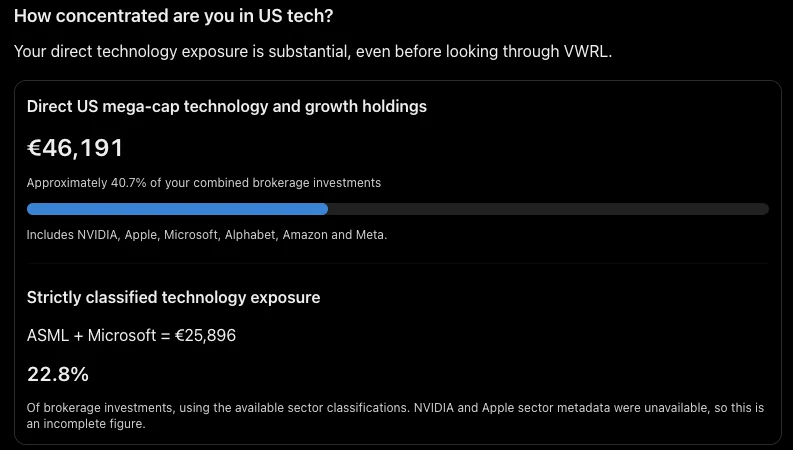
Check today's signals for my tech positions and flag anything that moved more than 3%.
Ask your assistant about your accounts, holdings and markets. Avex supplies checked data and its own analysis, and updates your records when you ask.
2 positions moved more than 3% today: NVDA up 4.1% and ASML down 3.4%. Copilot flags NVDA as extended after a 5-day run.
Each of these starts with a single prompt in Claude or ChatGPT.
Watch prices, Copilot signals and news for the stocks you trade, and record trades as you make them.
Check today's signals for my tech positions and flag anything that moved more than 3%.
Track progress toward your net worth goal and see where your risk sits across all your accounts.
Am I on track for my net worth goal, and where is my risk concentrated?
See what each holding pays, when it pays, and how your income is changing.
List my dividends for the last 12 months and estimate next quarter's income.
Follow your net worth over time, including property and private investments your broker doesn't see.
How has my net worth changed this year, and how much of it is property?
Start the day with US and UK macro data, sector moves and news, matched to what you hold.
Give me this morning's brief and which of my holdings the news affects.
Read access to your Avex data and analysis, and write access so it can keep your records current.
Balances and positions from every broker, bank and wrapper you track in Avex.
What comes in, what goes out, and how exposed you are.
Analysis Avex has already run on your holdings and the market.
Economic data, sector views and news, filtered to what you hold.
Your assistant can save notes about your preferences and read them in later chats.
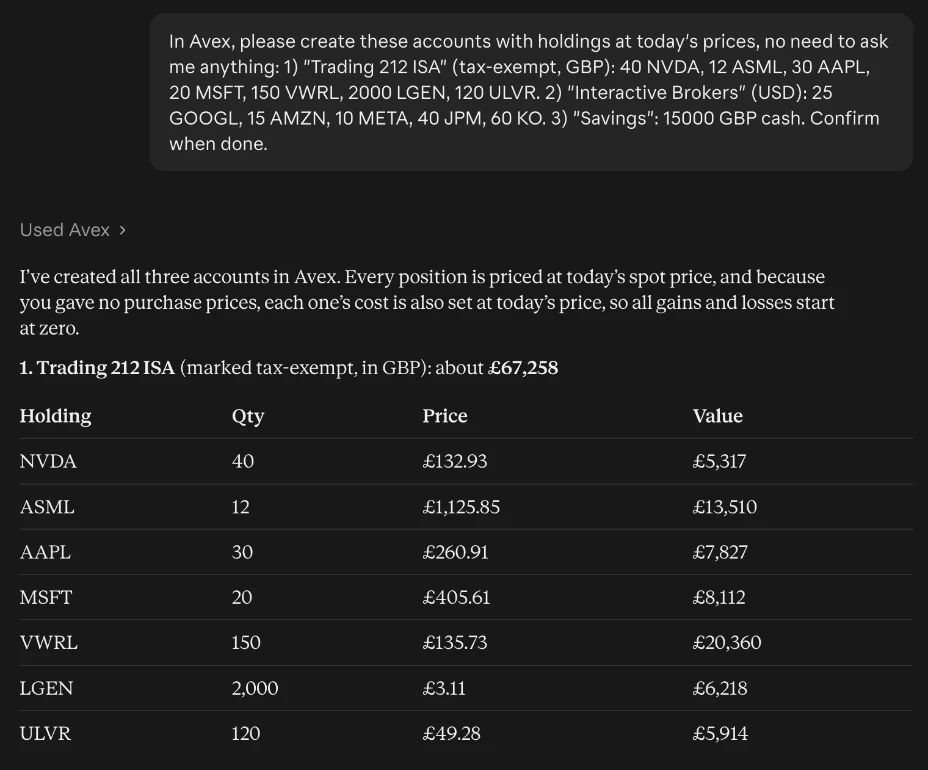
Your assistant can add and update records in Avex when you ask it to.
Investment Planner and Smart Withdrawal stay in the Avex app and are not part of the connector.
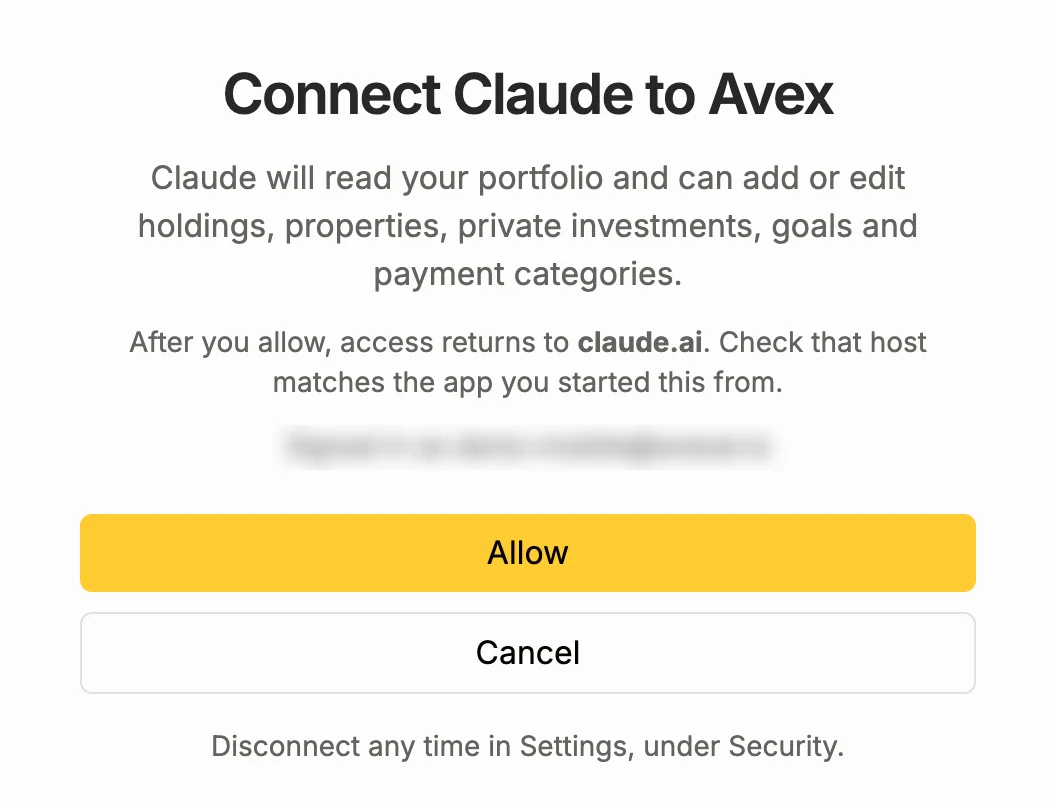
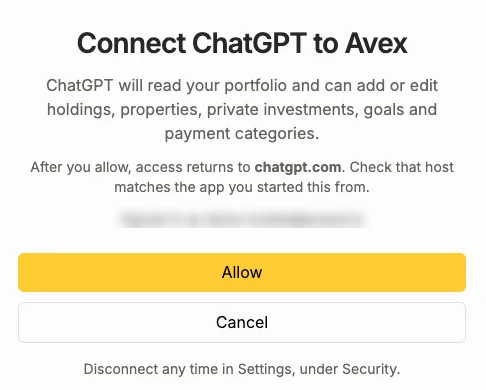
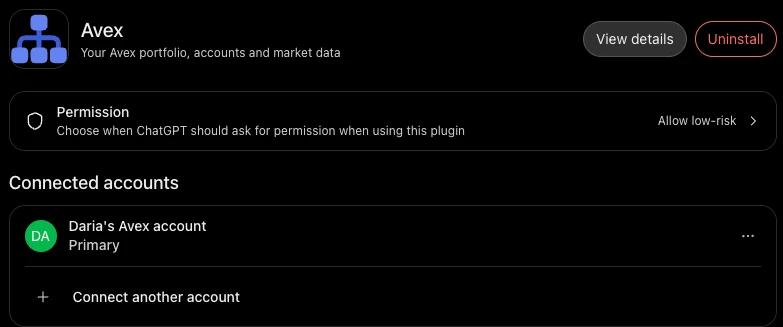
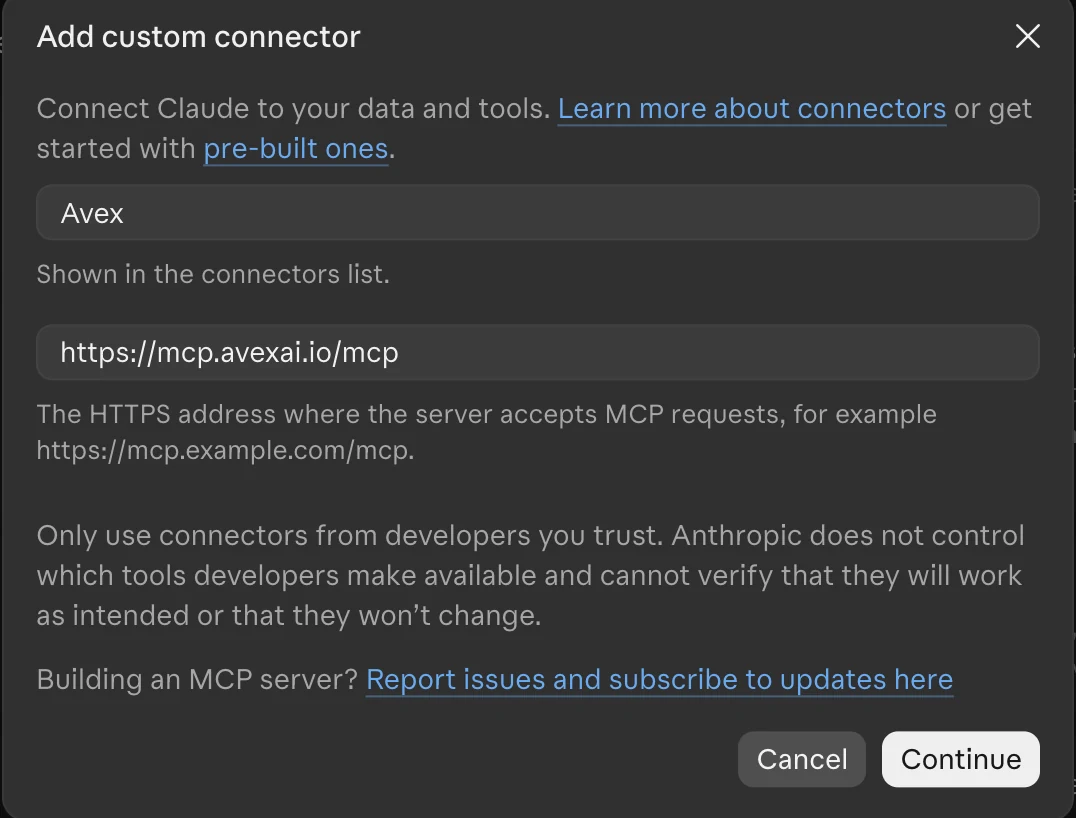
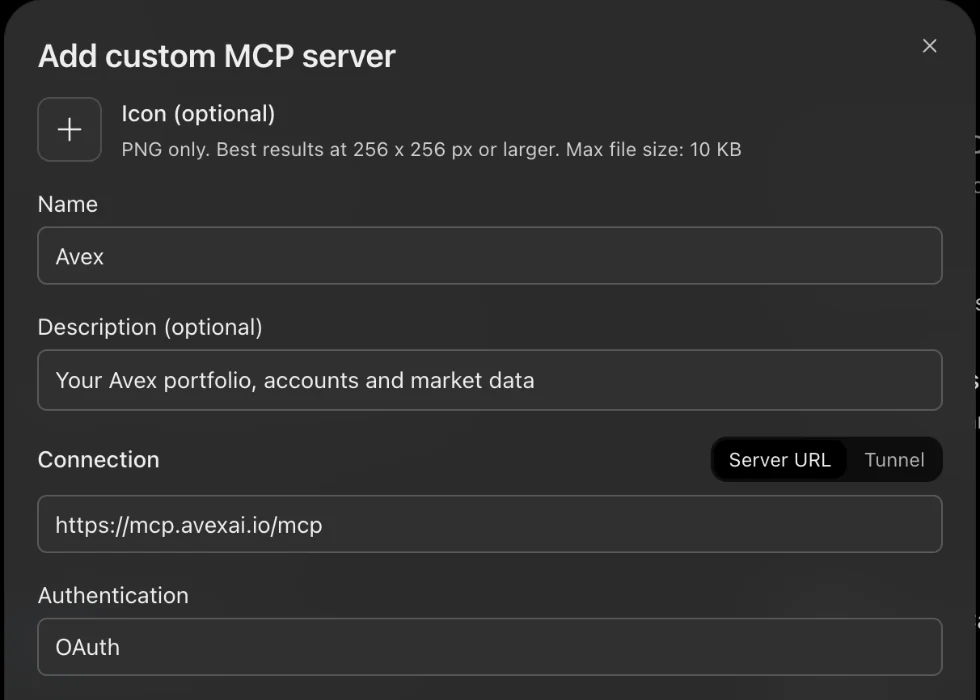
Add Avex once and it is available in every chat. Select a step to see it.
https://mcp.avexai.io/mcpWorks in claude.ai and the Claude desktop app.
Set up once in chatgpt.com.
The connector uses the same sign-in and the same rules as the Avex app. You stay in control of what is connected.
Short answers to what people ask most.
Every active Avex plan, including the free trial. If your plan lapses, you can still disconnect your assistants.
Claude and ChatGPT. Gemini and Grok will use the same URL once they support custom connectors.
No. The connector has no trading or payment tools, and Avex never holds or moves your money.
Yes, when you ask. It can add and edit accounts, holdings, properties, private investments, goals, payment categories and notes. New holdings are priced at the moment they are added.
In Avex, open Settings, then Security, then Connected apps, and select Revoke. Access ends within a minute.
Avex sends data only when your assistant asks for it. How the chat is stored, and whether it is used for training, follows the data settings of Claude or ChatGPT.
No. Avex data and insights are information, not financial advice.
Create an Avex account, add your accounts, then follow the setup steps above.
Avex data and insights are information, not financial advice. Capital at risk.